"Error -27778: SSL protocol error when attempting to connect with host" in load runner

Recently i had some issues with SSL protocol error,while running the scripts in controller i am facing the "Error -27778: SSL protocol error when attempting to connect with host",so finally i got rid of that by using the below steps in the script

Keep the below code at the start of of script

use web_set_sockets_option("SSL_VERSION", "TLS");
    web_set_sockets_option("SSL_VERSION", "1"); 

This forces the SSL connection to the server to use version 1 of the SSL protocol rather than letting the server suggest a version during the connection handshake.

We had same issue on vugen 11.50 with new patch also then  we enabled the below setting
Run-Time Settings -> Preferences -> Select "WinInet Replay Engine instead of Sockets (Windows Only)."
HttpSendRequest" failed, Windows error code=12002 - Perf Center Error_load runner error

While running an internal application using the load runner Controller i was getting the "HttpSendRequest" failed, Windows error code=12002 - Perf Center Error .I solved these by following the below steps:

1.Check Vugen runs script as a process or running  vusers asa  thread?
You can check this in Run time settings-General-Miscellaneous-Multithreading then uncheck the value

2.Are you working with WinInet, and the error itself comes from WinInet API not specifically Vugen.We can see in part of the replay  errors comes from resources during the replay where they were timed out.
If we are forced to use WinInet then this will occur, but if you can use Sockets you may want to try that option instead or a Click and Script protocol.
you can uncheck the WinInet replay instead of sockets (Windows only) in the runtime settings-preferences.This will solve the problem.

3.And the another option is to use web_set_max_retries ("X") to increase the limit of 30 sec.You can place this before the action which is failing but  I wouldn't recommend that.

HttpSendRequest time out only occurres when any transaction takes more than 30 sec to connect to server. This default 30 sec time is because of the use of WinInet Replay engine. Thus this error pops up when you are running script with winInet replay and transactions are taking more than 30 sec. Only thing to get rid of this error is to fine tune the whole system and check the backend and servers to see any request que has formed up.

How to run Performance Center in Professional mode WAN Emulation

Today i will explain about the *.NTX file located on a shared location here.

In the Performance Center the default setting hides the option to use an *.NTX file from a shared f]]location in Professional mode. This can be downloaded from a VE Desktop server.

Here is the process :The shared drive must be accessible to the Controller machines.

  • Go to Performance Center user site and create a new test for the load test.Then go to the Workload tab. All the Load Generators should be defined before starting the load test.
  • Click the WAN Emulation Settings and select the load generator from the list of LGs.
  • Enable the WAN Emulation check-box and the go to WAN Emulation Settings .
  • go to Additional Settings
  • Enable the Professional mode includes opening files located on a shared drive check-box
  • Click OK
  • Select the Professional radio-button
  • Click the Browse button and locate the NTX file to be used for that Load Generator
  • Then click OK

Shared data files usage in Performance Center

In the Performance center, the additional include files get pushed to load generators is to add them to the script in Vugen. This can be accomplished in Vugen by going to the File menu and selecting "Add to script." Any files you select will be added to the action navigation pane in Vugen and will be automatically pushed to any load generators during a test. You should not have to map any directories on the load generators .

If you are using a shared file (such as a function header) that you do not want to attach to all scripts, just make sure that the directory linked to in the script is accessible on all load generators. If not, the appropriate mappings must be completed so the file is accessible during test runs.The file must be placed on the all the load generators which are used in the test

Test id and Test instance ID in performance center | PC test id and test instance id

Here i will show how to find the test id and test instance id in performance center.
Usually people considers the as the  test instance id,but both are different.

To find the test id and test instance id,Follow the below steps.
  • Go to controller
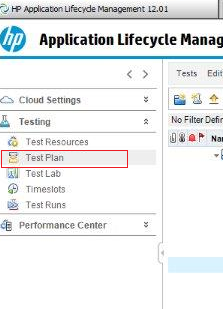
  • Go to the test plan and from there go to the scenarios.
  • Open the scenario for which you need the Test id and Test instance id.
  • Click on the edit scenario button.
  • As shown in below, the number which is highlighted is the test id,here it it 


Now click on the Home button and go to the same scenario ,where you will see the test instance tab.Click on the instances and you can find the Test instance id that ass


How to change jenkins default port 8080

Follow these simple steps and change the default port number on Jenkins.
  • Go to the Jenkins directory we installed the Jenkins (By default, it is located under C://Program Files//Jenkins)
  • Open the Jenkins.xml file.
  • Search for "httpPort=8080" (as shown in below image) and replace the "8080" with the new port number that you want to change, you can put 8081.

 
  • Save it and restart the Jenkins.
  • Browse the Jenkins url as https://localhost:8081

How to start jenkins in windows | How to restart jenkins server in windows machine | How to stop jenkins in windows

To restart the jenkins server in windows machines do the following:

Open the Command prompt
Go to your Jenkins installation directory (Default it is located under  under C://Programfiles//Jenkins)and execute the below commands

To Stop Jenkins:
jenkins.exe stop

To Start Jenkins:
jenkins.exe start

To Restart Jenkins:
jenkins.exe restart

Story behind Jenkins logo | Jenkins History | Jenkins logo background

A butler is a domestic worker in a large household. In great houses, the household is sometimes divided into departments with the butler in charge of the dining room, wine cellar, and pantry. Some also have charge of the entire parlour floor, and housekeepers caring for the entire house and its appearance.


Kohsuke Kawaguchi, the founder of Hudson project which then forked into currently known as Jenkins, He fondly calls it a butler which can get your task done according to your order. Hudson as well as Jenkins are very British sounding names where butler services originated and still are pretty popular. This is the motivation which 
Kohsuke Kawaguchi and  also time to time Kohsuke Kawaguchi casually mentions in his talks about this.

How Load runner Works ?

Suppose you want to test a bank server that serves many automatic teller machines (ATMs).

The ATMs provide a full range of banking services to the bank's customers--such as withdrawing and depositing cash. 

To test the bank server using LoadRunner, you create a scenario. The scenario defines the actions that are performed on the server during the load test. During the scenario that loads and monitors the bank server, you want to:

  1. emulate conditions of controlled load on the server
  2. emulate conditions of maximum load on the server
  3. measure server performance under load
  4. check where performance delays occur: network or client delays, CPU performance, I/O delays, database locking, or other issues at the server monitor the network and server resources under load 

Load Runner Introduction and Archietecture

LoadRunner is an industry-leading performance and load testing product by Hewlett-Packard (since it acquired Mercury Interactive in November 2006) for examining system behavior and performance, while generating actual load.

LoadRunner can emulate hundreds or thousands of concurrent users to put the application through the rigors of real-life user loads, while collecting information from key infrastructure components (Web servers, database servers etc). The results can then be analysed in detail, to explore the reasons for particular behaviour.

Consider the client-side application for an automated teller machine (ATM). Although each client is connected to a server, in total there may be hundreds of ATMs open to the public. There may be some peak times — such as 10 a.m. Monday, the start of the work week — during which the load is much higher than normal. In order to test such situations, it is not practical to have a testbed of hundreds of ATMs. So, given an ATM simulator and a computer system with LoadRunner, one can simulate a large number of users accessing the server simultaneously. Once activities have been defined, they are repeatable. After debugging a problem in the application, managers can check whether the problem persists by reproducing the same situation, with the same type of user interaction.

HP LoadRunner is an automated performance and test automation product from Hewlett-Packard for examining system behaviour and performance, while generating actual load. HP acquired LoadRunner as part of its acquisition of Mercury Interactive in November 2006.HP LoadRunner can simulate thousands of concurrent users to put the application through the rigors of real-life user loads, while collecting information from key infrastructure components (Web servers, database servers etc.)The results can then be analyzed in detail, to explore the reasons for particular behavior.

LoadRunner supports various application protocols; Flex AMF, Citrix ICA, Remote Desktop Protocol (RDP), ERP/CRM (e.g. SAP, Oracle eBusiness, Siebel and PeopleSoft), Databases, Mail Clients, Web Services, AJAX TruClient (with V.11.0).


LOADRUNNER COMPONENTS 


Loadrunner has mainly three components. 


  • VuGen (Virtual user generator) 
  • Controller (License based component) 
  • Analysis 

apart from these components there are other components like LoadRunner Agent process.

Vugen: 
The purpose of Vugen is to create scripts for single user and do the required enhancements to the script in a such a way that it can be run for multiple users.

Controller:
The purpose of Controller is to Run the load test and monitor the servers during load test execution. In loadrunner language is to create scenarios and the run the loadrunner controller scenario. Generally Controller installed in a client environment machine which will be configured with loadrunner license for defined number of users. Performance engineers to connect to this machine to run the load test. If the client has multiple projects and multiple performance engineer resources, client may setup mutiple controller with multiple licenses.
Analysis:
Analysis will be used to Analyze the results and creare graphs and reports to present the performance test report to stake holders.


File Extensions:

VuGen : .USR is the file extension.
Controller : .lrs is the file extension. - -> .lrr
Analysis : .lra is the file extension

Loadrunner environment:Number of machines required in loadrunner test environment. In general you can use one machine by installing all the components one box. 
1 Machine: Controller, Vugen, Anaylysis and Loadrunner agent process. The disadvantage is we may not able to run bigger load test.
Multiple Machine:
Controller1 - 1 Machine - 1000 user license
Load generators - 3 Machines
Controller2 - 1 Machine - 3000 user license
Load generators - 3 Machines
Controller4 - 1 Machine - 2000 user license
Load generators - 3 Machines 
Architecture of LoadRunner:
